- May 28, 2024
Samsung Dryer Error Codes Explained: Your Complete Guide to tE, dE, hE & More
Few things are more frustrating than loading up your dryer, pressing start, and being greeted by a blinking error code instead of the warm hum of tumbling clothes. If you own a Samsung dryer, you might have encountered cryptic codes like tE, dE, or hE flashing on the display. The good news? Most of these codes don’t mean your dryer is beyond repair. In fact, many issues can be resolved with simple troubleshooting steps you can do yourself.
This comprehensive guide will decode the most common Samsung dryer error codes, explain what causes them, and walk you through the fixes—from quick cleanings to knowing when it’s time to call a professional.
Decoding the Most Common Samsung Dryer Error Codes
tE, tE2, tE4, tE5 – Temperature Sensor Errors:
What it means: The “tE” family of codes indicates a problem with your dryer’s temperature sensors . The thermistor, which monitors and regulates internal temperature, may be malfunctioning, or the lint filter and vents could be so clogged that they’re affecting temperature readings .
Common causes:
- Clogged lint filter or condenser
- Blocked vent system restricting airflow
- Faulty temperature sensor or wiring issues
How to fix it:
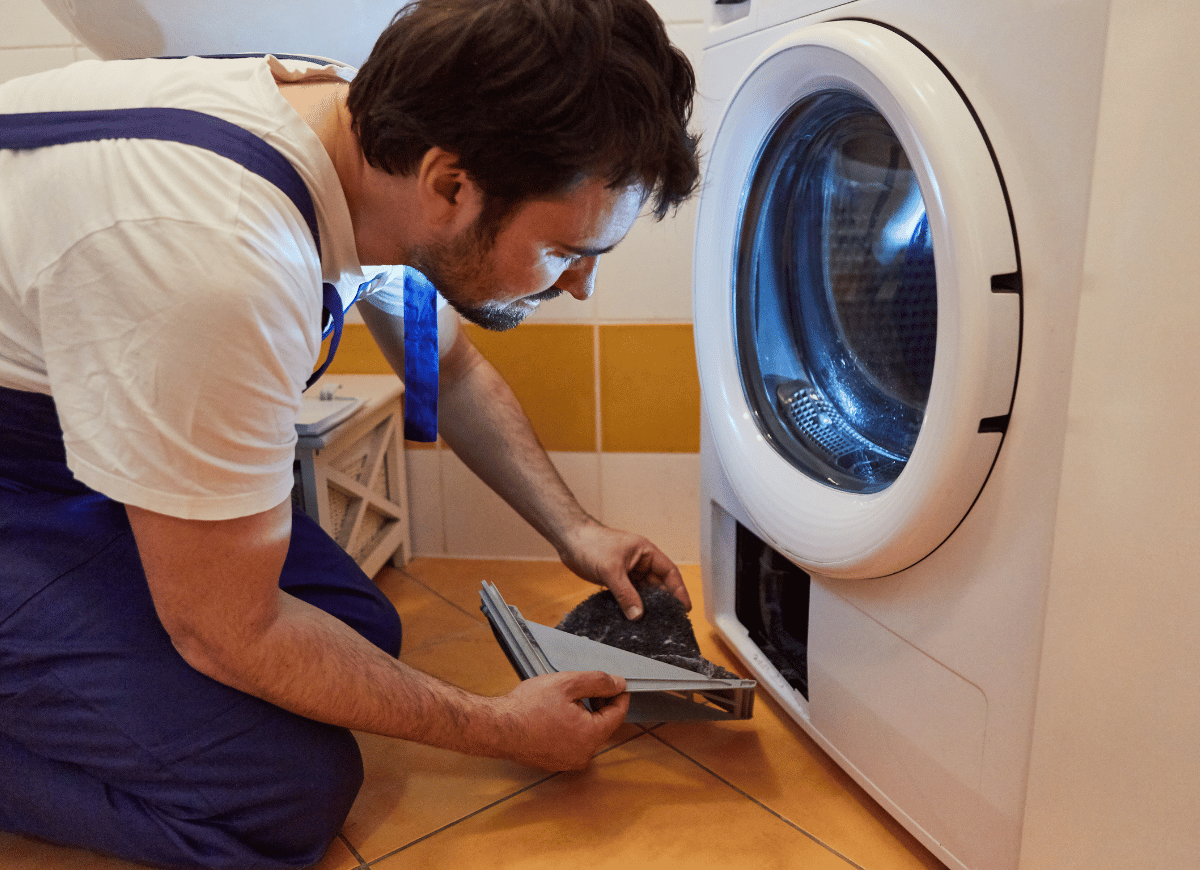
- Clean the lint filter thoroughly – Remove all lint and wipe the sensor area with a damp cloth
- Check the condenser – If your model has one, vacuum the condenser grill with a brush attachment
- Inspect the vent system – Ensure no blockages are restricting airflow
- Power cycle the dryer – For tE5 specifically, turn the dryer off for 5 minutes, then restart
- Test the thermistor – If you’re handy, you can access the thermistor (location varies by model) and test its resistance with a multimeter—it should read around 10k ohms at room temperature
If the code persists after cleaning and resetting, the temperature sensor may need professional replacement.
5C, 5E – Drainage/Water Tank Errors
What it means: These codes appear when there’s a problem with water drainage—either the water tank is full, the drain hose is blocked or frozen, or the drain pump is malfunctioning .
How to fix it:
- Empty the water tank – Remove and empty it completely, then reinstall
- Check the drain hose – Ensure it’s not bent, kinked, or damaged
- Thaw frozen hoses – If the hose is frozen, wrap it with a towel soaked in warm water for about 10 minutes
- Verify drain height – If connected to a drain, ensure it’s not higher than 1 meter

dE, dC, dF – Door Errors
What it means: These codes signal that your dryer detects the door is open or the door switch isn’t functioning properly .
Common causes:
- Door not fully closed
- Laundry caught in the door seal
- Faulty door switch or latch mechanism
- Child Lock feature interfering
How to fix it:
- Open and firmly close the door – Ensure it latches securely
- Check for trapped items – Remove any clothing stuck between the door and seal
- Clean the door seals and sensors – Wipe around the door area
- Verify Child Lock status – If Child Lock is on, you may get door error messages even when not operating
- Inspect the door switch – If the code remains, the door switch may be faulty and require professional replacement
3C, 3E – Motor Errors
What it means: Error 3E indicates the motor isn’t working properly .
How to fix it:
- Try restarting the cycle
- If the code persists, the inverter motor or its connections may need professional inspection
hE, HC, HE – Heating Errors
What it means: The “hE” or “HE” code indicates a heating problem—your dryer isn’t generating enough heat to dry clothes properly . This could mean the compressor is overheated (in heat pump models) or the heating element has failed (in electric models) .
Common causes:
- Compressor overheating
- Faulty heating element
- Tripped circuit breakers
- Clogged lint filter restricting airflow
How to fix it:
- Turn off the dryer for 20 minutes – This allows an overheated compressor to cool down
- Check your home’s circuit breakers – Reset any that have tripped
- Clean the lint filter thoroughly – Restricted airflow can cause overheating
- Try a manual reset sequence (for some models):
- Turn dryer off
- Press and hold the “Time” and “Mixed Laundry” buttons (or “Dryness Level” and “Mixed Laundry” depending on model)
- Turn dryer on while holding buttons
- Release buttons when “dE” appears or all lights illuminate
- Turn dryer off and on again
If these steps don’t resolve the issue, the heating element, thermostat, or control board may need professional attention.
NC, NC1, NC2 – Filter/Heat Exchanger Errors
What it means: These codes indicate problems with the lint filter assembly (NC, NC1) or the internal heat exchanger cover (NC2) .
How to fix it:
- Check and clean the lint filter assembly
- For NC2, inspect the internal heat exchanger cover
- If the code remains after cleaning, professional service may be needed
Final Thoughts
Samsung dryer error codes might look intimidating, but they’re actually helpful tools that point you directly to the problem. In many cases, the fix is as simple as cleaning a filter, closing the door properly, or giving your appliance a quick reset.
By understanding what these codes mean and following the troubleshooting steps outlined in this guide, you can save time and money—and get your laundry routine back on track faster.
Remember: If you’ve tried everything and the error persists, don’t hesitate to call a professional. Sometimes, a faulty sensor or heating element needs expert hands to get your dryer running safely and efficiently again.